Markdown in nvim
Purpose
Section titled “Purpose”I like neovim. Like a lot. And I try to use it for anything, any chance I get. Every new task always starts with can I do this in neovim?. If the answer is probably not, then the task just got much more boring.
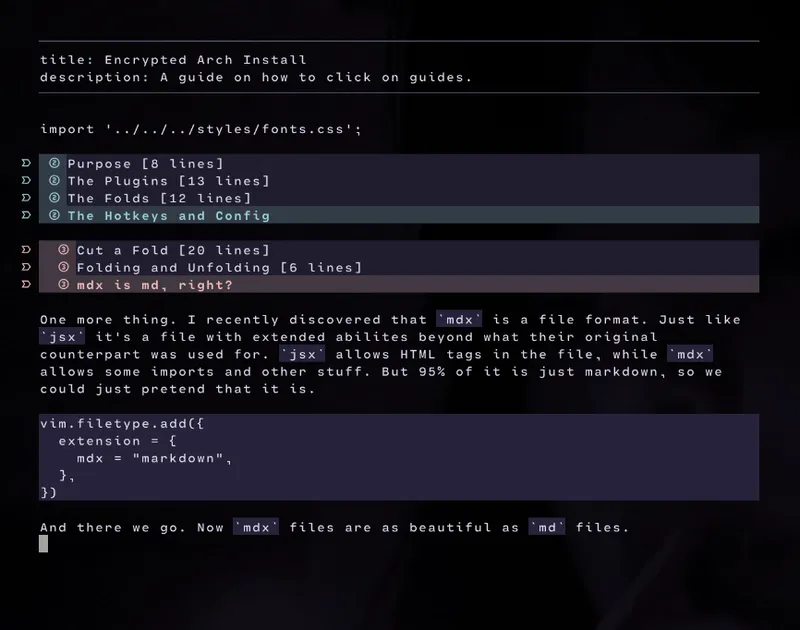
Anyway, today I found something magical I had no idea was a thing. A user on GitHub called MeanderingProgrammer has written a plugin for neovim that automatically renders markdown code into something beautiful in normal mode in neovim. That made my imagination race. The possibilities!
I tried to like emacs for a while. I almost convinced myself that I did. But there was always some tiny annoyance that snapped me right back to reality and ran back to neovim. One thing I miss though is org mode. Org mode is fantastic, plain and simple. But render-markdown might actually be my savior in that area. Not by itself, but as a part of a suite. Let me show you.
The Plugins
Section titled “The Plugins”There are two plugins I use for this. nvim-mini/mini.icons and render-markdown.nvim, both found on GitHub. If you use vim.pack you add them like this:
vim.pack.add({ {src = 'ttps://github.com/nvim-mini/mini.icons'}, {src = 'https://github.com/MeanderingProgrammer/render-markdown.nvim'},});…and that’s it! No post install things for this.
The Folds
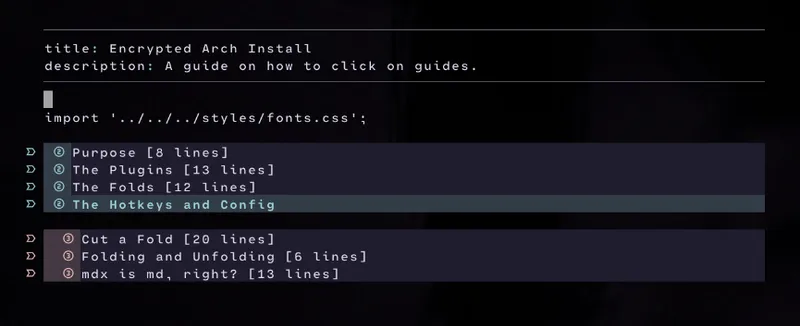
Section titled “The Folds”So now we already have beautifully rendered markdown in neovim, but one thing org mode has that really marks the dot is folds. To be able to hide text behind a headline. Fear not, neovim has it built right into the core:
vim.g.markdown_folding = 1vim.o.foldlevelstart = 1vim.o.foldlevel = 1Tada! Now we enabled markdown folding and told neovim that we automatically want anything deeper than 0 to fold right up. 0 is the first level of headlines, # in markdown. So that we keep open since it often wraps the whole document. No real reason to fold it right up, so we start from ##.
The Hotkeys and Config
Section titled “The Hotkeys and Config”Cut a Fold
Section titled “Cut a Fold”So now we have beautiful markdown documents that we can fold by headline. Neat! This opens up so many possibilities and use cases. I’ve been toying around with a kanban board with the ##s - TODO, DOING and DONE. And then when we unfold them we reveal tasks as ###, and in each task we have #### for sections in the task, like Summary and Todo List or something.
And for that to work, I found out I need some hotkeys - mainly one that lets me cut a full section even when it’s folded:
map(NORMAL, SPACE .. 'dd', '', { callback = function() local fs = vim.fn.foldclosed(".") if fs ~= -1 then local fe = vim.fn.foldclosedend(".") vim.cmd(fs .. "," .. fe .. "delete") else vim.cmd("normal! dd") endend })Now when I press SPACEdd I cut the folded section so that I can put it back in somewhere else. For example, moving a task from TODO to DOING.
Folding and Unfolding
Section titled “Folding and Unfolding”I have two hotkeys for folding. One toggles a single fold, not affecting anything else. The other one closes all folds but the one I am currently in, as well as updates the fold structure. If I add new headlines while editing, then they aren’t automatically a part of the fold hierarchy. We need to trigger a rescan of the folds. That’s what it does.
So, regular simple fold is za by default, but I added it to just Enter. The special fold is zx by default, but I added it to SPACE ENTER. I only do key sequences, so you first press and release one key, then you press and release the next key et cetera.
mdx is md, right?
Section titled “mdx is md, right?”One more thing. I recently discovered that mdx is a file format. Just like jsx it’s a file with extended abilites beyond what their original counterpart was used for. jsx allows HTML tags in the file, while mdx allows some imports and other stuff. But 95% of it is just markdown, so we could just pretend that it is.
vim.filetype.add({ extension = { mdx = "markdown", },})And there we go. Now mdx files are as beautiful as md files.